
Large TV Stand for 85 Inch TV: 7 Checks Before You Buy
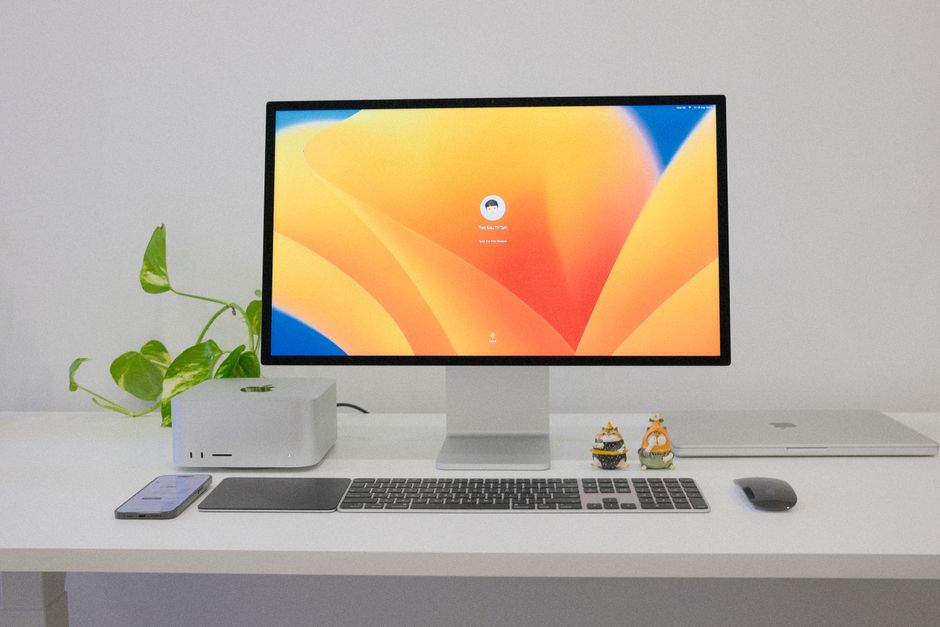
A large TV stand for 85 inch TV use must support the television’s actual feet on a usable top surface and be rated for at least the TV’s weight with its stand attached. Measure your specific model’s casing, foot span, foot depth and weight, then check console dimensions, load rating, room clearance and viewing height. The 85-inch label alone cannot confirm fit.
How big should a TV stand for an 85 inch TV be?
Choose a console whose usable top surface fully supports both feet, not merely one whose overall width sounds large enough. Screen width and foot span are different measurements, and the space beneath the screen does not tell you where its feet land.
Use this seven-step check before ordering:
- Measure the casing width. Find the TV’s width without its stand in the model specifications. Sony lists its K-85XR70 at 74.45 inches wide, while Sony’s KD 85X80K, 85X85CK and X85K series dimensions page lists 74 13/16 inches. That small difference reinforces the point: check the exact model.
- Measure the foot span. Look for the distance between the outer edges of the feet, and check whether the model has alternate leg positions. The K-85XR70 stand width is 61.65 inches in its standard position and 23.98 inches in its narrow position.
- Check foot depth and contact area. Compare the feet’s actual depth and placement with the console’s usable surface, not its overall dimensions. Sony’s cited X80K/X85CK/X85K measurements list 18 inches of stand depth and 7 1/4 inches of front stand depth.
- Compare usable console dimensions. A top shelf may be smaller than the console’s full footprint. For example, Floyd lists its Media Console at 59.2 inches wide overall, but its top shelf surface is 57.1 inches wide by 12.7 inches deep.
- Check the top-surface weight rating. Use the TV weight with the stand attached. Sony lists the K-85XR70 at 111.7 pounds with its stand; Samsung lists the cited 85-inch QN85Q7DA at 95.2 pounds with its stand.
- Allow for room clearance and viewing height. Check the proposed console position against nearby walls, walkways and equipment. The provided specifications do not prescribe a universal clearance or viewing-height target, so measure the room and consider the seating position before selecting a console.
- Record accessories and safety checks. Include the soundbar’s width and depth in your layout, and make sure it will not block the screen or the TV’s feet. The provided sources do not list soundbar dimensions or a universal allowance; measure the specific soundbar and confirm it fits alongside the television.
Write the numbers down before comparing products: TV casing width ___; foot span ___; foot depth ___; TV weight with feet ___; console usable width and depth ___; top-surface load rating ___. Add soundbar dimensions and note whether the TV will sit on the console or be mounted independently. This worksheet exposes a mismatch before delivery.
What is the best TV stand for an 85-inch TV?
The best stand is a model-specific fit: it supports the TV’s feet across a usable surface, meets the assembled weight requirement and suits the room. Start with those pass-or-fail checks, then compare appearance, storage and price. A wide console can still fail if its top is too shallow or its surface is not rated for the load.
Do not use a console’s total weight rating as a substitute for its top-surface limit. Floyd lists a 325-pound total weight limit but a 65-pound limit for the top shelf, and recommends the console for TVs up to 65 inches. Those specifications do not establish it as suitable for an 85-inch television: the top limit is below the cited Sony and Samsung assembled-TV weights, and the usable shelf width is narrower than those examples’ casing widths.
The cited product information does not provide prices for these options. Compare verified dimensions and load ratings first; treat cost as “not published” where the manufacturer details provided here do not state it.
| Option | Who it suits | Cost | Key limitation |
|---|---|---|---|
| Freestanding TV stand or media console | Someone whose TV feet fit fully on the usable top and whose TV weight is within its top-surface rating | not published | Must pass both the foot-placement and top-load checks; total console capacity is not enough |
| Wall-mounted TV with a separate console | Someone who wants the console to hold accessories rather than the television | not published | Requires a compatible, model-specific bracket and correct VESA match; console still needs to fit the room and equipment |
| Floyd The Media Console | Not established as a match for the cited 85-inch TVs | not published | 57.1-inch-wide top shelf, 65-pound top limit, and manufacturer recommendation for TVs up to 65 inches |
What is the best TV stand for large TVs?
For large TVs, the strongest choice is the stand that passes the exact model’s fit and load checks, with room for the rest of the setup. “Large” is not a specification. A TV’s diagonal does not establish its case width, foot span, depth or weight.
The model examples make the trade-off concrete. Sony lists a narrow stand position of 23.98 inches for the K-85XR70, but that does not mean every 85-inch television can use a narrow console. Samsung’s cited QN85Q7DA has a stand footprint listed as 15.9 × 10.6 × 14.5 inches, while Sony’s cited K-85XR70 has a stand depth of 18.66 inches. Their support arrangements differ, so confirm your own manual before buying around a narrower footprint.
Use the console’s usable surface rather than its outer width in your comparison. For example, a 59.2-inch-wide console with a 57.1-inch top shelf does not provide 59.2 inches of TV support. Floyd’s stated 65-pound top limit also shows why a high total capacity cannot rescue an inadequate shelf rating.
Can you put an 85 inch TV on a stand?
Yes, you can put an 85-inch TV on a stand when the furniture is designed for a television and its surface fully supports the feet within the rated load. The U.S. Consumer Product Safety Commission says televisions should be placed only on furniture designed to hold a TV, such as a TV stand or media center. Its AnchorIt guidance also recommends anchoring televisions that are not wall-mounted and following the manufacturer’s instructions.
Keep safety separate from visual balance. A console wider than the screen may look more balanced, but visual width does not prove that the feet are supported or that the top can bear the load. Conversely, if you mount the TV independently, the console does not need to carry the television; it still needs to suit the equipment placed on it and the room.
For mounting, match the bracket to the exact TV. Sony lists a 400 × 400 mm wall-mount hole pattern for the cited KD 85X80K, 85X85CK and X85K models, while Samsung lists VESA support at 600 × 400 mm for the cited QN85Q7DA. Those are different patterns. Check the specifications and bracket instructions for your own model rather than transferring either measurement to another TV.
Before you order, fill in the worksheet and confirm each item against the product listing or manual: the top supports both feet; usable depth suits their placement; the top load rating meets or exceeds the TV’s weight with feet; the soundbar and other equipment fit; and the chosen setup follows the TV and furniture makers’ safety instructions. If one measurement is missing, ask the manufacturer before treating the console as a match.
Frequently Asked Questions
How wide are the feet on my 85-inch TV, and will they fit on a console?
The width depends on the model and, sometimes, the leg position. Sony lists its K-85XR70 at 61.65 inches in the standard position and 23.98 inches in the narrow position; check your own model’s specifications and confirm the console’s usable surface supports both feet.
How deep does a TV stand need to be for an 85-inch TV?
There is no single depth for every 85-inch TV. Compare the console’s usable top depth with the actual foot contact area and the manufacturer’s placement instructions; Sony model specifications show stand depths of 18 and 18.66 inches, while Samsung lists a 15.9 × 10.6 × 14.5-inch stand footprint for its cited model.
How much weight should a stand for an 85-inch TV support?
The stand’s top surface should be rated for at least the TV’s weight with its feet attached, as stated in the TV specifications. The cited Sony models weigh 111.7 pounds and the cited Samsung model weighs 95.2 pounds with stands; use your exact model’s figure and do not substitute a console’s total load limit for its top-surface limit.
Can I use a narrower stand if I wall-mount the TV?
Wall-mounting removes the TV’s feet from the console, so the console no longer needs to support the TV’s weight or foot span. You still need to check the TV’s model-specific VESA pattern and bracket instructions, and CPSC recommends anchoring televisions that are not wall-mounted and securing top-heavy furniture with anti-tip brackets.
Sources
Read next

How to Judge Clothing Quality Before You Buy
Use fabric labels, construction, fit, and care demands to judge clothing quality and long-term value before buying.
Choose the Right iPhone Before You Switch
Choose an iPhone for an Android switch with clear checks for storage, eSIM, carrier fit, data transfer, and certified refurbished devices.

How Can I Evaluate New-Arrival Clothing Online Before Buying?
A practical way to check fit, fabric, styling value, and return risk before ordering new-arrival clothing online.

How Do I Estimate Diesel Generator Fuel Use, Runtime, and Tank Capacity?
Calculate diesel generator fuel use, outage runtime, tank capacity, fuel cost, and low-load risks with published manufacturer data.